5 Things Every Property Manager Gets Wrong About Guest Information
You've written the welcome message, uploaded the house rules, saved your quick replies. And your guests still message you at 11pm asking for the WiFi password. Here's why — and what to fix.
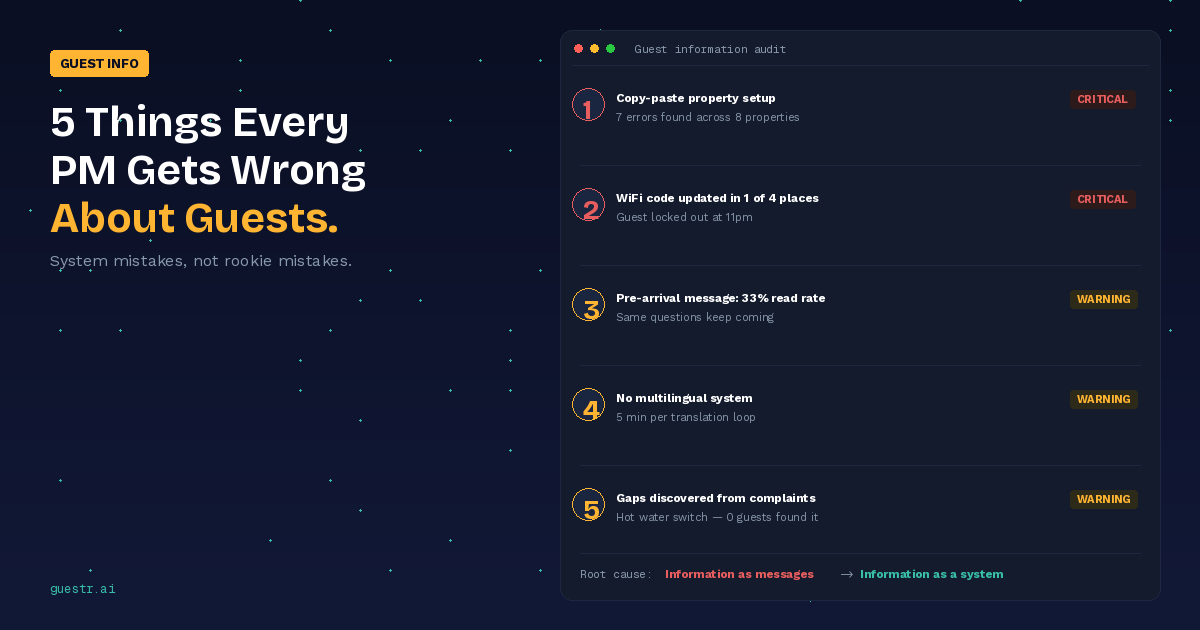
I manage eight properties across two cities. On paper, my guest communication is solid — welcome message goes out on booking, check-in instructions 24 hours before arrival, a follow-up the morning after. All templated. All automated.
And yet, last month alone, I answered the same WiFi password question fourteen times.
That's not a communication problem. That's an information architecture problem. And if you fix the wrong one, you'll waste your time building something that doesn't actually help.
I've been cataloguing these mistakes — partly because I keep making them myself. Here are the five that cost me the most time.
1. The copy-paste property setup
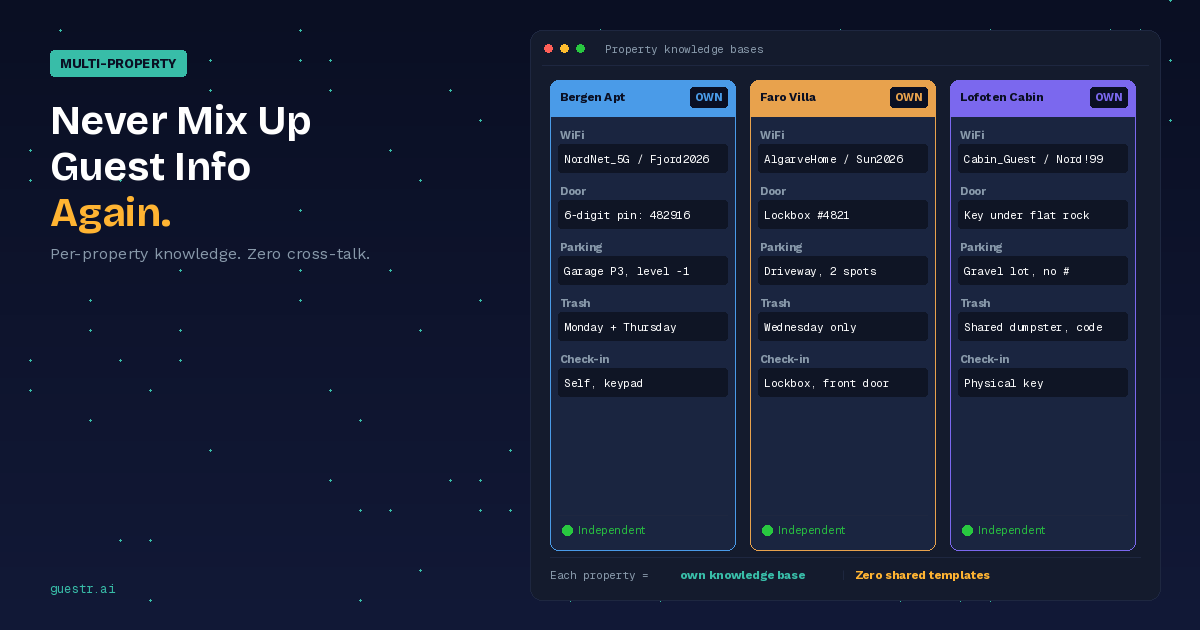
When you add your third property, you're in a rush. So you duplicate the information package from Property A, swap out the address and the photos, and call it done. Done in twenty minutes, and you move on to the next fire.
Three months later, a guest at your Lisbon apartment gets check-in instructions that mention "the blue gate on Parkveien" — which is in Oslo. You catch it because the guest messages you, confused. But what about the details you don't catch? The wrong trash day. The parking code from a property you sold last year. The name of a restaurant that closed.
I found seven factual errors across my properties when I audited them last spring. Seven. And I thought I was being careful.
Nobody's being careless here. The problem is structural — copy-paste creates invisible dependencies between properties. You think you're maintaining eight separate information sets, but really it's one template with eight mutations and zero version control.
I eventually rebuilt everything from scratch, one property at a time. Painful, but now when a guest asks about parking at Property C, the answer comes from Property C's actual data — not from whatever I duplicated and half-edited six months ago.
2. The update that didn't reach everywhere
You changed the WiFi password at your beach house in March. Updated it in the Airbnb listing. Updated the quick-reply template in your phone. Forgot to update the laminated card on the kitchen counter. And the Booking.com listing. And the PDF guide you email to direct-booking guests.
The guest arrives Friday evening. The password from the pre-arrival message doesn't work. They try the one on the kitchen card — also wrong (that's from January). They message you. You're at dinner. They message again. By the time you respond, they've already left a mental note about "poor communication."
This is the update cascade problem, and it's almost impossible to solve manually once you're past four or five properties. Information lives in too many places: OTA listings, saved replies, physical materials at the property, PDF guides, WhatsApp message history. Every update requires touching all of them, and you will forget at least one.
What finally solved this for me was collapsing everything into one source per property. The WiFi password lives in one place. Guest-facing content pulls from that place. I change it once. That's it. I know it sounds simple — but scroll through your own setup and count how many places your WiFi password currently lives. I'll wait.
3. The pre-arrival message nobody reads
Here's a stat that hurt my ego: I tracked open rates on my pre-arrival messages across three months. The messages were detailed, well-written, had all the essential information. Check-in time, door code, WiFi, parking, house rules.
The result? Guests who actually read the full message before arriving: maybe a third. The rest either skimmed it, saved it for later and forgot, or just ignored it entirely. I know because they messaged me asking questions that were answered — word for word — in the message I sent eight hours earlier.
I tried fixing this by writing better messages. Shorter. Bullet points. Bold formatting. It helped a little, but not enough. The real issue is timing — you're pushing information at 9am when they're packing a suitcase. They need it at 7pm when they're standing in the apartment wondering why the door code doesn't work.
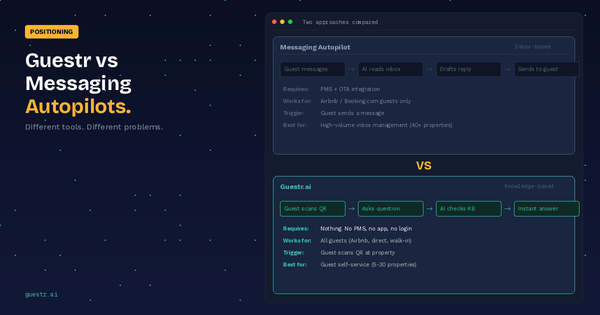
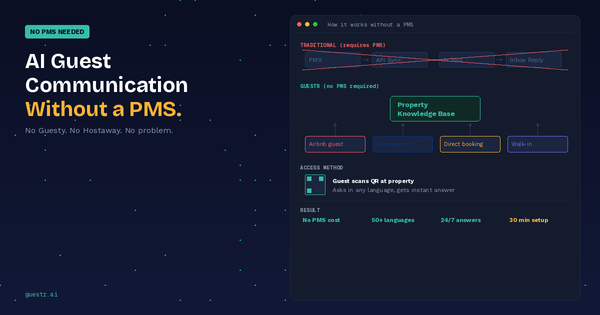
So I stopped trying to get people to read messages and started putting information where they'd actually look for it. QR code on the fridge, on the nightstand, at the front door. Guest scans it when they need something, gets the answer right there. Not a 600-word message to scroll through — a searchable system they query in the moment.
My "where's the WiFi password" messages dropped by about 80% in the first month. Not because the information changed. Because the delivery timing changed.
4. The language gap you don't notice until it's a problem
My properties are in markets that get international tourists. German families, Japanese couples, Brazilian groups, French solo travellers. My welcome messages are in English, because I write in English, and most guests can manage.
Except "manage" isn't the same as "understand." A German guest can probably figure out "the check-in code is 4582." But "the building entrance requires the code followed by the hash key, then wait for the buzz, then push — don't pull — the door within three seconds" is a different level of English comprehension.
I used to handle this with Google Translate when a guest clearly wasn't following. Copy their message, translate it, write my response, translate it back, hope the translation didn't mangle the instructions. It took five minutes per exchange and the results were sometimes comically wrong.
What makes this tricky is that it rarely shows up in reviews. A German family that struggled with your check-in instructions isn't going to write a paragraph about it — they'll leave "nice apartment, a bit confusing at first" and you'll shrug and move on. The damage is invisible: they just book somewhere else next time.
After I set up automatic language matching for property info, two things changed. Response time dropped because the back-and-forth translation loops disappeared. And communication scores crept up — 4.7 to 4.9 over a quarter. Small, but it held.
5. The gaps you discover from guest complaints
Every property has information gaps. Details that seem obvious to you — because you've been there a hundred times — but are completely opaque to a first-time guest.
My favourite example: one of my apartments has a separate hot water switch in the bathroom. It's a small toggle near the mirror. If you don't flip it, you get cold water for about 45 minutes until the general system kicks in. I know this. My cleaners know this. Not a single guest figured it out on their own in the first year.
It wasn't in my welcome guide because it never occurred to me to include it. Obvious knowledge isn't obvious when you're not the one who's been living with it.
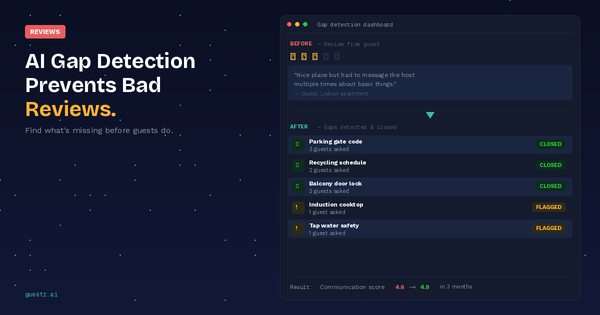
The problem is that you usually discover these gaps reactively — a guest complains, you think "oh, I should have mentioned that," you add it to the guide, and you wait for the next gap to surface the same way. Each gap costs you a bad experience, sometimes a bad review, before you fix it.
Something that helped me: walk through each property as if you've never been there. Arrive at the door. Can you get in without calling anyone? Where do you park? How do you turn on the heating? What happens if the internet goes down? Where's the nearest pharmacy? What day is trash collection?
Even better: look at your actual guest message history. Every question a guest asked you is a gap in your property information. If three guests in a row ask about the parking situation, that's not three needy guests — that's one missing paragraph in your guide.
Guestr's Gap Detection does this automatically — it analyses the questions guests ask and flags topics where your knowledge base doesn't have a good answer. You fix it once, and the next guest gets the answer without asking.
The pattern underneath
These five mistakes look different on the surface, but they share a root cause: information treated as a communication task instead of a system.
When you think of guest information as "messages I send," you get templates, quick replies, pre-arrival messages — tools for reactive communication. They work at one or two properties. They start cracking at five. By ten, you're just firefighting.
When you think of guest information as "a knowledge base guests access," the entire model shifts. The information lives in one place per property. It's always current. Guests find it when they need it, in their language, without messaging you. And you find out what's missing before the next guest does.
That's what Guestr was built for. Not to send better messages — to make messaging unnecessary.
Try Guestr's AI Gap Detection free →
Next read: How AI Gap Detection Prevents Bad Reviews Before They Happen