Managing 10+ Properties? Here's How to Never Mix Up Guest Information Again
At two properties, you remember everything. At ten, you send Property B's WiFi password to Property A's guest. Here's the system that stops that from happening.
The first time I sent a guest the wrong check-in code, I blamed myself. The second time, a month later — different property, different guest — I blamed the template.
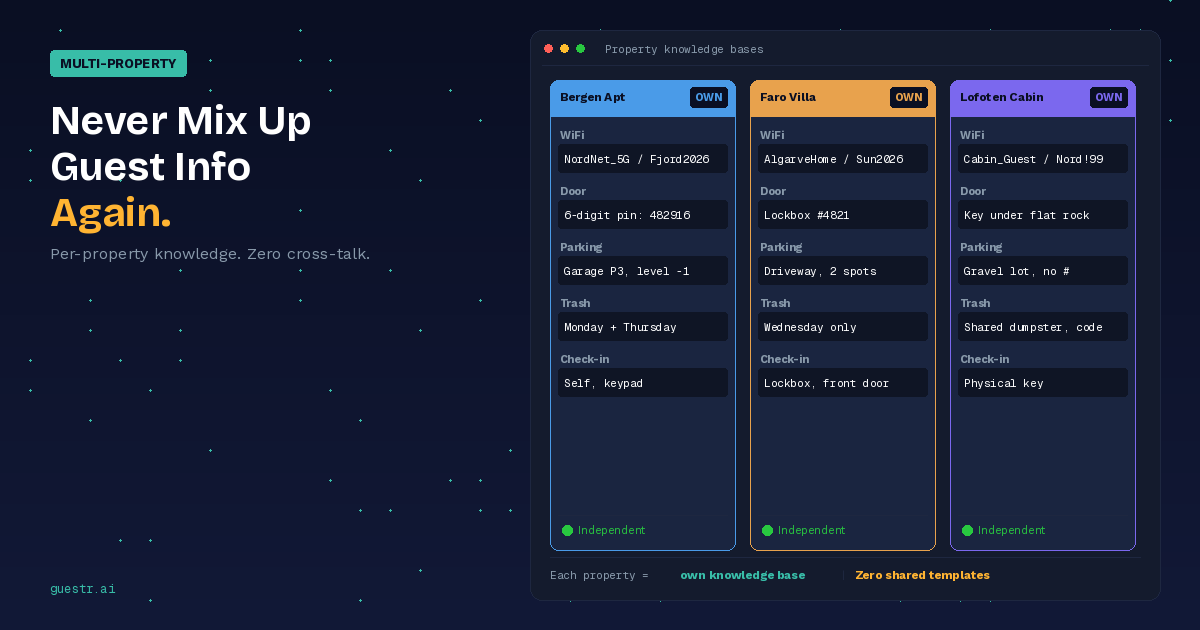
I'd been running off one master template for all my properties. Swap the address, update the photos, change the property name in the greeting. Everything else stays the same, right? Except the door code at the Bergen apartment is a 6-digit pin, and the one in Faro is a physical lockbox with a 4-digit combination, and the cabin in Lofoten uses a key that's under a rock near the woodshed. Three different systems, one template pretending they're identical.
At two or three properties, you catch these things because you still remember which place is which. Your brain fills in the gaps. At ten, your brain stops keeping up, and the template becomes the authority — even when the template is wrong.
How information gets mixed up
I've seen this go wrong in a few distinct ways, and I've personally hit every one of them.
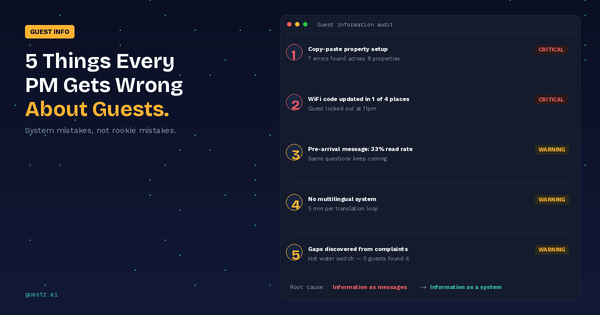
The most common is copy-paste inheritance. You set up Property B by duplicating Property A's information package. Six months later, Property B still references "the parking garage on Rua da Esperança" — which is Property A's street. You never noticed because you didn't re-read the whole package after duplicating it.
Then there's the partial update. You changed the WiFi password at one property, updated it in the Airbnb listing and in your saved quick reply, but forgot the Booking.com listing and the PDF guide. Guest arrives, tries the password from the booking confirmation, it doesn't work. They message you at 10pm. Classic.
This next one bit me when I hired my first co-host: a team member sends a message using a saved template from the wrong property. She's managing three check-ins that afternoon, grabs the wrong quick reply, and a guest in Lisbon gets told to "park in the driveway." There's no driveway. It's a fourth-floor walk-up.
And finally — the guidebook that nobody updated. You put together a PDF guide when you listed the property, emailed it to the first ten guests, and haven't touched it since. The restaurant you recommended closed. The bus route changed. The neighbor's dog that you warned about moved away two years ago.
All four failures come from the same root: there's no single place where the truth about each property lives.
Why the obvious fixes don't hold
Spreadsheets are the first thing everyone tries. One tab per property, columns for WiFi, door codes, parking, trash day. It works for a while. Then someone edits the wrong row, or you update the spreadsheet but forget to copy the new password into your quick reply, and you're back to the same problem with an extra layer of false confidence.
Saved message templates are fast, but they're static. They don't pull live data from anywhere. If you change the WiFi password in your property management system, your saved Airbnb quick reply still has the old one. You have to manually update every template, every time, for every property. At ten properties with five templates each, that's fifty updates every time anything changes. Nobody does that consistently.
I tried color-coding my templates — one color per property. Helped a little. My co-host still sent the wrong one because she was in a rush and the color difference between "Bergen Blue" and "Oslo Navy" wasn't obvious enough on her phone.
The tipping point, in my experience, is somewhere around five to eight properties. Below that, you can muscle through with templates and spreadsheets and memory. Above that, the error rate starts climbing and each mistake costs you more — because at ten properties, you've probably got enough reviews that a bad one actually matters for your ranking.
What a per-property knowledge base looks like in practice
The fix that actually worked for me was simple in concept: each property gets its own self-contained information record. Not a copy of a template with overrides — its own thing from scratch.
Property A has its WiFi password, its parking instructions, its check-in method, its quirks (the hot water switch, the tricky window latch, the recycling schedule for that specific municipality). Property B has completely different content. They share nothing except the structure.
When a guest at Property A asks a question, the answer comes from Property A's knowledge base. There's no chance of cross-contamination because there's nothing to contaminate from.
The practical setup took me about 30 minutes per property. Walk through each one, document everything a guest might need to know, enter it into the system. Some of it overlaps — house rules are similar across my properties — but I entered them separately for each one anyway, because the moment you share content between properties, you've recreated the template problem.
The payoff was immediate. My co-host stopped worrying about grabbing the wrong template because there are no templates — guests access the right property's information automatically through the QR code at that property. I stopped getting midnight messages about wrong codes. And when I changed the WiFi at the Faro apartment last month, I updated it in one place and that was it.
What changes at scale
At twelve properties, the benefits compound. Each new property I add takes 30 minutes to set up with its own knowledge base. No copying, no inheriting bad data from another property's template.
When a guest messages me now, it's usually about something personal — restaurant recommendations, a question about their specific travel plans. The operational questions — WiFi, parking, check-in, checkout, appliances — get answered by the knowledge base before the guest thinks to message me.
My favourite metric: I tracked guest messages across all properties for three months before and after switching to per-property knowledge bases. Routine information requests dropped by about 70%. The properties didn't change — the guests just stopped needing to ask.
The messages I still get are the ones I actually want to answer. "Can you recommend a restaurant for our anniversary?" beats "what's the WiFi password?" every time.
Getting started without ripping everything apart
You don't have to migrate all your properties at once. Start with the one that causes the most trouble — the property where guests message you most, or the one where you've had the most information mix-ups.
Set it up with its own dedicated knowledge base. Give it a couple of weeks. See if the message volume drops. If it does, do the next one. I got through all twelve in about two weeks, doing one or two per evening.
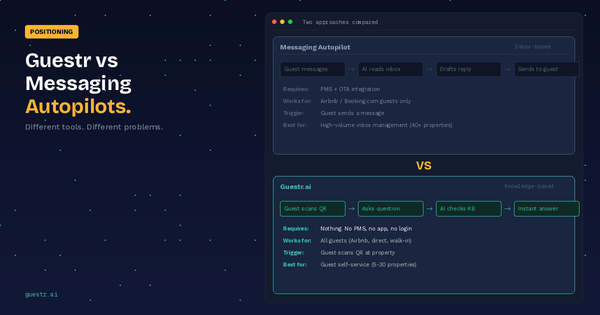
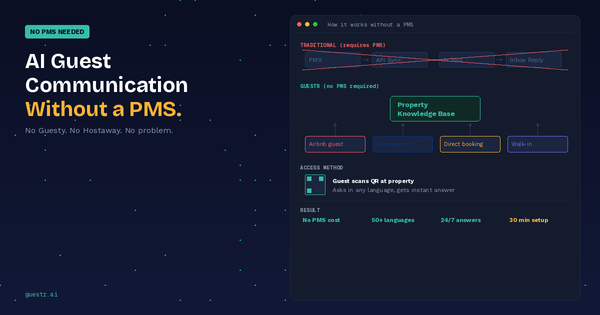
Guestr gives every property its own knowledge base. One update propagates to the guest-facing system for that property only. No templates, no spreadsheets, no cross-property contamination. And guests access it through a QR code at the property, so they get the right information for the right place every time.
Set up your first property's knowledge base — free →
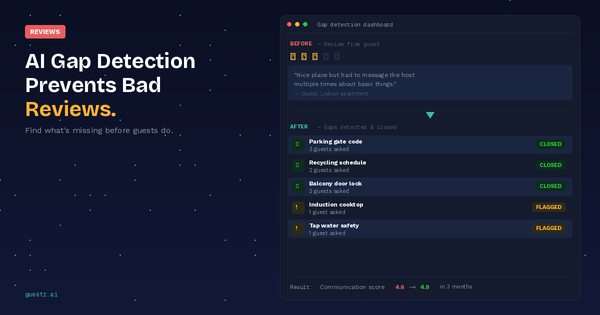
Previously: How AI Gap Detection Prevents Bad Reviews Before They Happen