QR Code Guest Guides: How to Set Up a Self-Service System for Your Vacation Rental
A QR code takes 3 minutes to generate. The system behind it — what you put there, how you set it up per property, where you place it — is what determines whether guests use it or message you anyway.
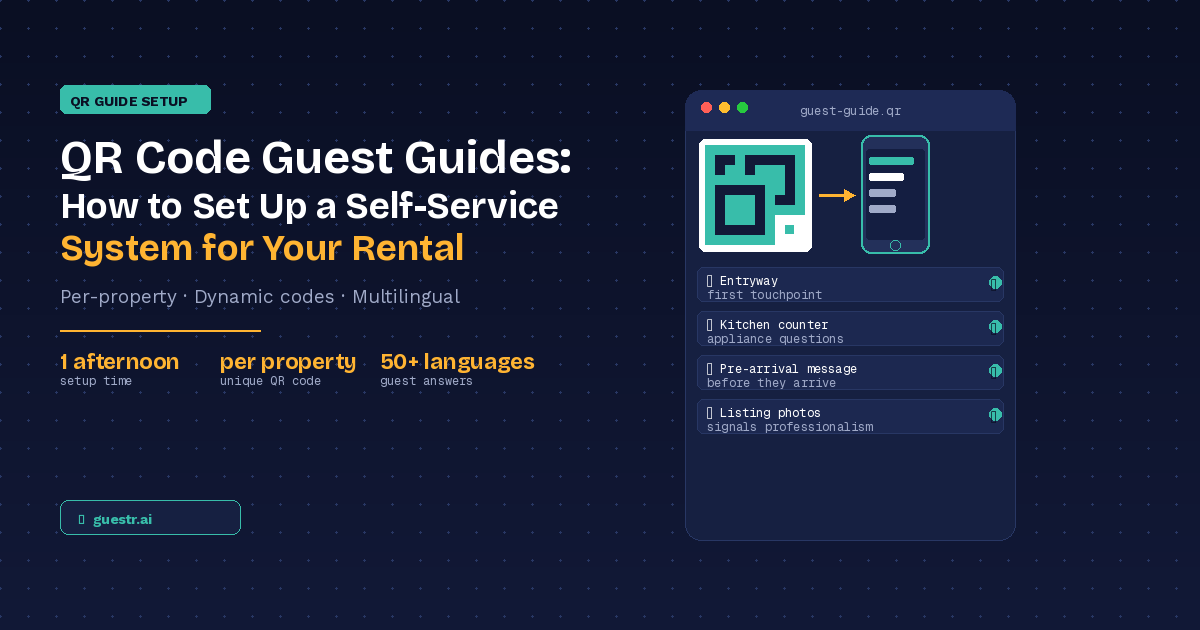
If there's one piece of guest communication technology that earns its keep without demanding much from you, it's a well-placed QR code guest guide. Guest picks up phone, scans, gets the answer they need. No app download. No Airbnb login. No waiting for you to respond.
That simplicity matters more than it sounds. For property managers running 10 or 15 properties across different neighbourhoods, having a reliable self-service layer for guests isn't a convenience — it's what keeps the operation manageable. This guide walks through exactly how to build a QR code guest guide system for your vacation rental: what to put behind it, how to set it up per property, and where to place it so guests actually use it.
What to Put Behind a QR Code (and What Doesn't Belong There)
A QR code is a delivery mechanism. What matters is what it delivers.
The right content to put behind a vacation rental QR code guest guide is anything a guest might need during their stay that doesn't require a live response from you:
- Check-in steps (door codes, key box location, parking instructions)
- WiFi credentials
- Appliance guides (how to operate the TV, washing machine, heating, dishwasher)
- House rules and quiet hours
- Trash disposal instructions and collection days
- Emergency contacts and procedures
- Local recommendations — restaurants, pharmacies, supermarkets, transport
The wrong content: sensitive booking details, pricing, personal contact information, or anything that changes per booking rather than per property. The QR code guide is property-specific, not booking-specific.
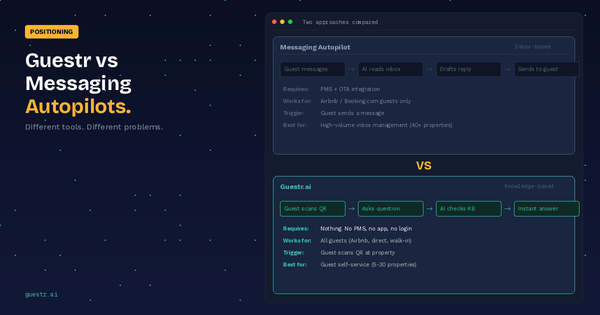
One distinction that's worth making early: there's a meaningful difference between a QR code that links to a static PDF and one that links to an interactive, updatable guide. A PDF is better than a paper binder, but it has the same fundamental problem — when your WiFi password changes or a new restaurant opens nearby, you're reprinting or re-uploading. An interactive guide (whether a digital guidebook or an AI-powered assistant like Guestr) lets you update the content in one place and the QR code stays the same.
Step-by-Step: Setting Up Your First Property's QR Guide
Step 1: Decide what information to include for this property
Start with a simple inventory: what are the five or six questions guests most frequently ask? For most properties, this list looks similar — WiFi, check-in, the TV remote, the dishwasher, where to put the bins, where to eat nearby. Write them down. These are your must-have items.
Then add the property-specific details that differ from your other listings: door code format, parking specifics, appliance brands, local quirks (the trash goes out Tuesday nights in this postcode, not Wednesday mornings).
Step 2: Choose your format
You have four main options:
PDF / static document. Lowest barrier to setup. Adequate if you have one or two properties and your information rarely changes. Falls down at scale and when details change mid-season.
Website or landing page. A basic page you control, mobile-optimised, updated manually. Works well if you're comfortable with simple web tools (Notion, Carrd, Squarespace) and don't need multilingual support.
Digital guidebook (Touch Stay, Hostfully, etc.). Purpose-built for vacation rentals, well-designed, structured. Good option for property managers who want a polished, static guide per property.
AI knowledge assistant (Guestr.ai). Instead of guests scrolling through pages to find their answer, they type (or ask) their question and get an answer from your curated content — in their language. Suited to property managers managing multiple properties with multilingual guests.
Step 3: Create the QR code
Once you have a URL (whether a PDF link, a page, or a platform), generate a QR code using any standard QR generator — QR Code Monkey, Canva, or the built-in generator in most digital guidebook platforms.
Two things to get right here:
- Use a dynamic QR code, not a static one. Dynamic means the code points to a short URL that redirects to your actual content. If you ever need to change the destination (new platform, new URL structure), you update the redirect without reprinting the code.
- Download it in a vector format (SVG or high-resolution PNG) so it prints crisply at any size.
Step 4: Design the physical card or sticker
A bare QR code with no context doesn't get scanned. Add a brief label that tells guests exactly what they'll find: "Scan for WiFi, check-in guide, and local tips" or "Everything you need for your stay — scan here."
Canva has free templates that work well for a laminated card or a small framed sign. A4 laminated card placed on a kitchen counter or in the entryway is the most reliable format — visible, durable, easy to replace if needed. Print two copies per property: one for the entryway, one for the kitchen.
Step 5: Test before placing
Scan from three different phone types before you install anything. iPhones, Android flagships, and older Android phones can behave differently. Test in both bright and dim lighting conditions. The QR code needs to be at minimum 5 × 5 cm to scan reliably; if it's being scanned from further than 30 cm away, go larger.
Step 6: Place and document
Install the QR code, take a photo of its placement for your records, and note the URL it points to in your property management notes. When you update content later, you'll want to know exactly which URL belongs to which property.
Multi-Property Setup: The Property Manager's Workflow
Here's where the approach differs from a solo host running one listing.
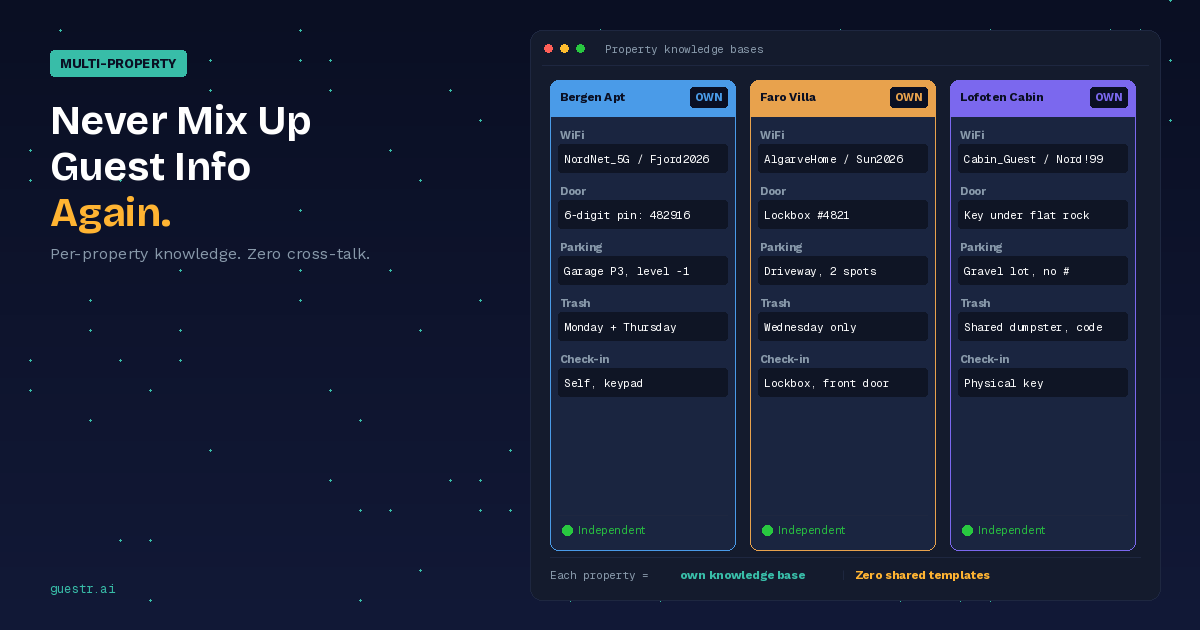
Each property needs its own unique QR code. This isn't optional. If you generate one QR code and use it across ten properties, Property B guests will see Property A's WiFi password, door code, and trash instructions. The QR code guide is only useful if it's property-specific.
What changes between properties: access codes, WiFi credentials, appliance brands and models, bin collection days, parking rules, emergency contacts. These are non-negotiable differentiators.
What can be reused: the structure and format, your brand style, local recommendations if properties are in the same neighbourhood, and your general house rules if they're consistent across your portfolio.
The practical workflow at scale looks like this:
Say you manage 12 properties. The setup investment is a single afternoon — roughly 30 minutes per property to populate the property-specific information, then 10 minutes to generate and print the QR card. The return is a permanent reduction in the same recurring questions across every booking.
When the WiFi changes at Property 7, you update the password in that property's guide (one change, one place), and every future guest scanning the QR code at that property gets the correct credentials. You don't reprint the QR code. You don't update a PDF and re-upload it. You change one field.
At 15+ properties, the maintenance burden of keeping static PDFs current for every property becomes significant. A platform that lets you manage all property guides from a single dashboard — updating one field when a door code changes — makes that work proportional to the number of changes, not the number of properties.
Where to Place QR Codes for Maximum Guest Use
Placement determines whether guests use the guide or message you instead. The hierarchy:
Entryway first. The moment a guest walks in, they have questions: How do I get the WiFi? Where do I put bags? How does the heating work? A QR code at eye level near the entrance catches them before they reach for their phone to message you.
Kitchen second. Most appliance questions happen in the kitchen. A QR code on the fridge or near the coffee machine, labelled "Scan for appliance guides", handles the dishwasher and oven questions that otherwise come in mid-stay.
Near complex appliances third. If you have a particularly non-obvious TV setup, a washing machine with a quirky control panel, or a smart thermostat that confuses guests, a small QR card next to the appliance linked directly to that section of your guide handles it before they give up and message.
In the pre-arrival message. Include the QR code's URL (or a screenshot of the code) in your check-in message. Some guests will load the guide before they arrive. This is particularly useful for international guests who may want to read through the information in their own language before landing.
In your Airbnb listing photos. A photo of the framed QR card in the property signals to prospective guests that information is organised and easily accessible. It's a minor detail that reads as professional.
Common Mistakes (and How to Avoid Them)
QR code too small to scan. Anything smaller than 3 × 3 cm is unreliable. Err on the larger side.
No label on the code. Guests don't know what they'll find until they scan. A one-line label removes that friction entirely.
Static QR linking to an outdated PDF. The most common failure mode. Guest scans, finds a PDF with last year's WiFi password. This erodes trust faster than not having a guide at all. Use dynamic codes and keep the destination current.
One QR code for all properties. As covered above — this means every guest sees the same information regardless of which property they're in. Per-property codes are non-negotiable.
No QR code placement in the pre-arrival message. Some guests won't notice the physical sign until they've already messaged you. Including the link in your pre-arrival communication gives them access before they arrive and reduces day-of-arrival questions significantly.
Setting This Up Takes One Afternoon. The Time Savings Happen Every Week.
The total setup investment for 10 properties is roughly a business day: gathering the information, choosing a platform, populating each property's content, generating QR codes, and printing and installing the cards. That's a one-time cost.
The ongoing benefit is that a meaningful portion of your recurring guest questions — WiFi, appliances, check-in steps, local recommendations — answer themselves. Guests get a faster, more accurate answer than they'd get waiting for you to respond. You spend less time on routine information delivery.
For property managers managing multilingual guest bases, the additional value is significant: a QR code guest guide that responds in the guest's language handles the questions that would otherwise require you to translate on the fly or leave a German or Spanish guest without a clear answer.
Ready to build your first QR guide? Guestr generates a unique QR code per property. Guests scan, ask any question, and get an AI answer from your curated knowledge base — in their language, any time of day.