Guestr.ai vs Touch Stay: Which Digital Guidebook Is Right for You?
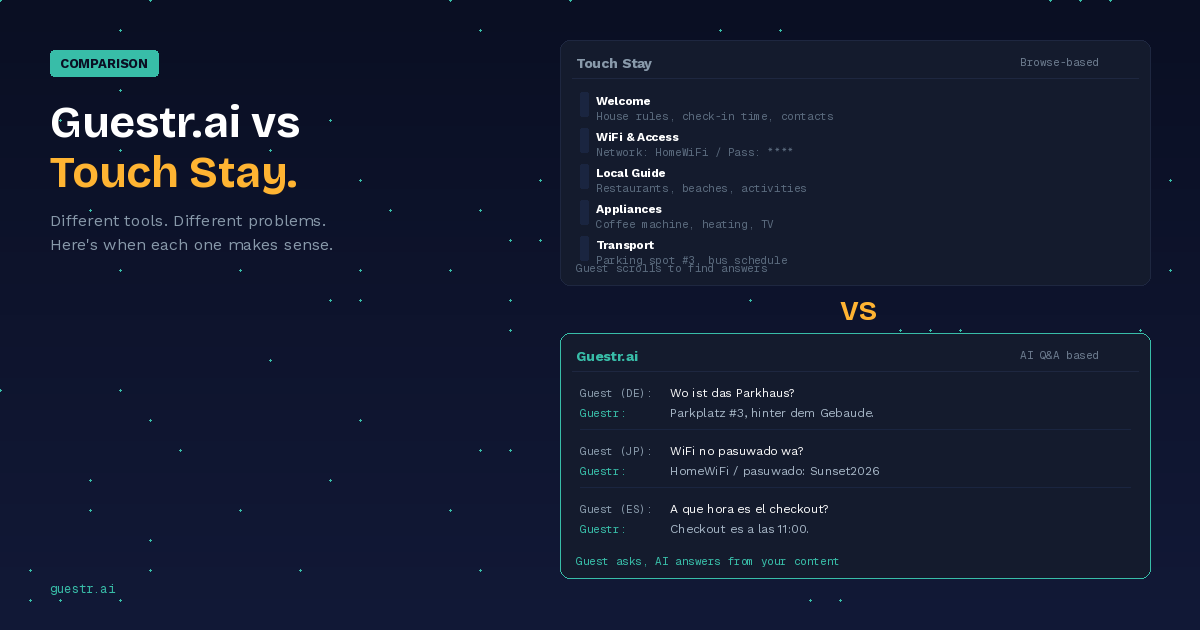
Touch Stay gives guests a polished guidebook to browse. Guestr gives them an AI that answers questions from your content. They're not substitutes — here's when each one makes sense.
Full disclosure before we start: we built Guestr. So take everything here with that context. What we're going to try to do is give you an honest comparison — including the things Touch Stay does better — so you can figure out which tool actually fits how you operate.
Touch Stay is a digital guidebook platform. It's been around for years, it's trusted by a lot of property managers, and it does what it does well. Guestr is an AI-powered guest knowledge system. Guests scan a QR code and ask questions instead of browsing pages.
They're not really substitutes for each other. They solve different problems in different ways, and some property managers actually use both.
What Touch Stay Actually Does
Touch Stay lets you build a mobile-friendly digital guidebook for each property. You create pages — welcome info, house rules, WiFi credentials, local restaurant recommendations, appliance instructions — and the guest gets a link or scans a QR code to browse it.
The experience is essentially a well-designed webpage. Your guest opens the guidebook, scrolls through sections, looks for what they need. Touch Stay has also added an AI chatbot, a store for upselling tours, and two-way SMS — they've been expanding beyond the pure guidebook.
Setup takes 1–2 hours per property. The result is a polished, browsable guide. But the fundamental interaction model is still the same: the guest has to find the right section and read through it. If they can't find what they need — and this is the core limitation of any browse-based tool — they close the app and message you.
What Guestr Does Differently
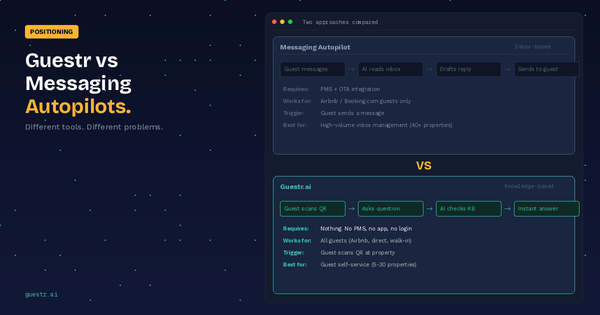
Guestr takes a different approach entirely. Instead of building a guidebook that guests browse, you build a knowledge base that an AI uses to answer guest questions directly.
The guest experience: scan a QR code at the property, type a question in whatever language they speak, get an answer pulled from your property's curated content. No scrolling through pages, no hoping they find the right section. They ask, the AI answers.
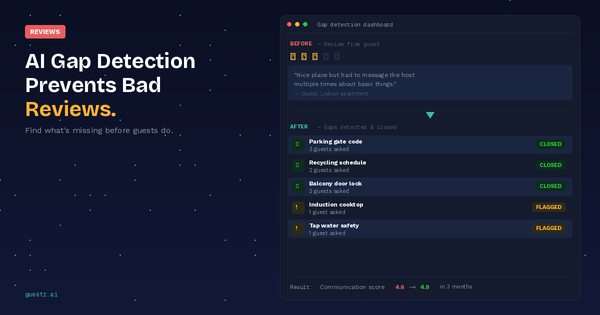
The key constraint — and this is something we're very deliberate about — is that the AI only answers from what you've put into the knowledge base. It won't pull information from the internet. It won't make things up. If a guest asks about something you haven't covered, the AI tells them it doesn't have that information, and the gap gets flagged for you. That last part (we call it AI Gap Detection) is probably the feature our users mention most. It tells you what your property information is missing before the next guest has to discover it themselves.
Setup is faster — typically under 30 minutes per property — because you're inputting information, not designing layouts.
Head-to-Head: Where Each Tool Wins
Rather than scoring everything on a scale (you can check our full comparison of five tools if you want that), here's where each tool has a clear edge.
The guest experience is fundamentally different. Touch Stay asks guests to browse and find information. Guestr lets them ask a question and get an answer. If you've managed properties for a while, you know which one guests actually do at 10pm when they can't figure out the heating — they don't want to read through a guidebook. They want the answer.
Multilingual is where the gap gets wide. Touch Stay requires you to manually translate your guidebook content — every page, every update, in every language you want to support. Guestr handles 50+ languages automatically. You write your content once in English (or Norwegian, or whatever you work in), and guests get answers in whatever language they ask in. For property managers in tourist destinations, this alone can be the deciding factor. (We wrote about this in detail.)
Setup speed at scale. Touch Stay takes 1–2 hours per property because you're designing layouts and curating pages. Guestr takes under 30 minutes because you're inputting property information, not building a webpage. At 10 properties, that's the difference between two full days and half a day.
Gap Detection is something browse-based tools can't really do. When a guest browses a guidebook and doesn't find what they need, they leave and message you — and you never know what information was missing. With Guestr, unanswered questions get flagged. You see exactly what your property knowledge base is missing, and you can fix it before the next guest runs into the same problem. Touch Stay has added a chat insights dashboard, but it shows what guests asked — not what you couldn't answer.
Offline access — Touch Stay supports offline viewing through PWA (Progressive Web App) technology. In practice, this means the guest has to open the guidebook while online, add it to their home screen, and browse the pages first so they cache. If they do all that, the static guide content works without signal. Their AI chatbot still needs internet, though — so offline gets you the browse-only experience. Guestr needs a connection for everything. Realistically, most rental properties have WiFi, so this is a factor mainly for very remote locations where connectivity is genuinely unreliable.
Touch Stay has a dedicated Store feature for upselling tours and add-ons with a built-in checkout flow. Guestr handles it differently — hosts can add links, images, and media directly into the knowledge base, so when a guest asks "what is there to do nearby?" the AI can recommend your partner tours with booking links included. Different approaches, both functional.
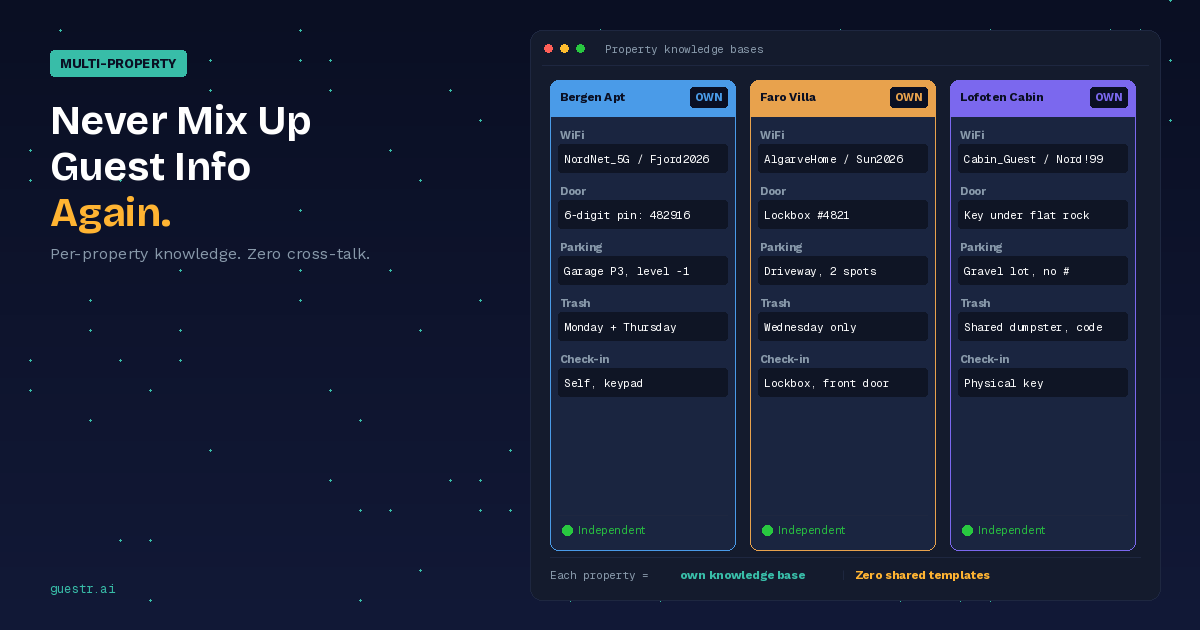
Both tools handle multi-property management — Touch Stay uses templates and tags, Guestr gives each property its own dedicated knowledge base.
When Touch Stay Makes Sense
Touch Stay works well if your guest experience is heavily visual — boutique properties where the guidebook design is part of the brand. It's also a fit if your guests are primarily English-speaking, if offline access is important for your locations, or if you want to sell tours and add-ons directly through the guide.
When Guestr Is the Better Fit
Guestr is built for property managers whose main problem is guest questions eating up their time. If your inbox fills up with the same questions every week — check-in details, WiFi, parking, how to work the heating — and you want guests to get those answers without messaging you, at any hour, in any language, that's what Guestr does.
It's especially relevant if you host international guests (50+ languages, zero translation work), if you manage enough properties that you can't always respond quickly, if you book guests through direct channels where Airbnb messaging isn't available, or if you want to proactively discover what information your properties are missing before guests complain about it.
The simplest way to think about it: Touch Stay is a better guidebook. Guestr replaces the need for guests to use a guidebook at all.
Can You Use Both?
Yes, and some property managers do. Touch Stay for the polished browse experience and local area guide. Guestr for the AI Q&A when guests have specific questions.
Whether this makes sense depends on your portfolio and budget. For most property managers with 5–15 properties, one tool is probably enough. If you're running 20+ properties with a mix of luxury and standard units, the combination can work — Touch Stay for the properties where presentation matters, Guestr across the whole portfolio for consistent Q&A support.
If you're choosing one, the question is simple: do your guests need a beautiful guide to browse, or do they need quick answers to specific questions? Most property managers know which problem they have more of.
Try Guestr free — see how it handles the questions your current setup can't answer →
Related: Digital House Manual Software Compared: 5 Tools for Property Managers